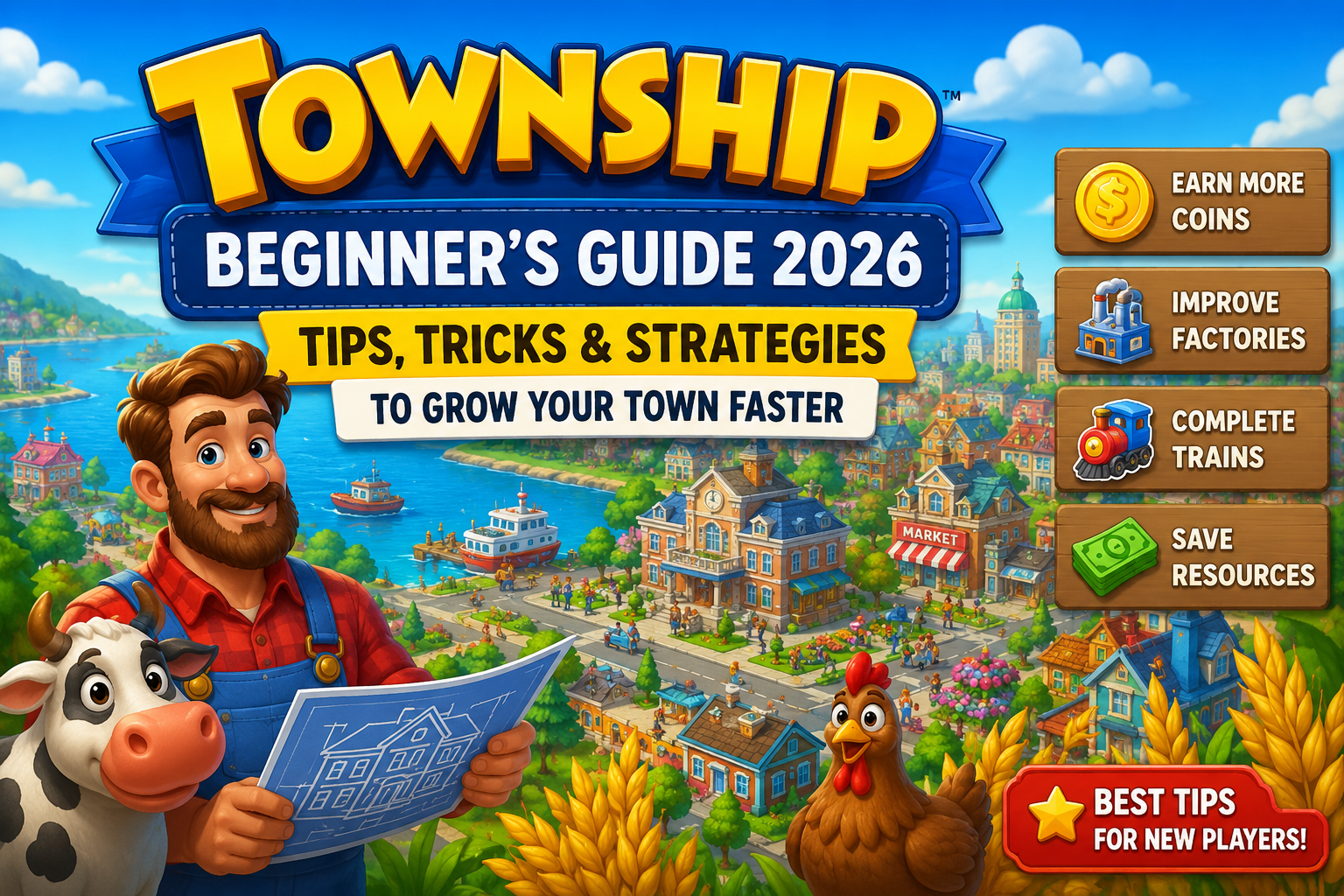
When I first installed Township, I expected a simple farming game that I could play for a few minutes each day.
Plant crops.
Harvest wheat.
Feed animals.
Build a few houses.
Expand the town.
It looked relaxing, colorful, and easy to understand.
For the first few days, that’s exactly how it felt.
Everything moved quickly. Crops finished growing in minutes, new buildings unlocked regularly, and I always had something to do. Watching my little town slowly come to life was surprisingly satisfying.
But after playing longer, I realized Township is much more than a farming simulator.
As my town expanded, I had to think carefully about how I used my resources. Coins became harder to earn, factory production took longer, and every decision started to matter. I couldn’t simply build everything the moment it became available.
That’s when I started paying more attention to how experienced players managed their towns.
Some players had beautiful, highly organized cities filled with decorations and advanced factories.
Others seemed to complete trains, helicopters, and airplane orders incredibly fast while constantly earning rewards.
Meanwhile, I often found myself waiting for products to finish, running low on coins, or wondering why my storage was always full.
After spending several weeks playing Township, I learned that success isn’t about rushing through levels.
It’s about planning ahead, managing your production efficiently, and making smart long-term decisions.
If you’re new to Township—or you’ve reached a point where progress feels slower—this guide shares the tips and lessons that helped me enjoy the game much more.
What Is Township?
Township is a city-building and farming simulation game where players create and manage their own growing town.
Instead of focusing only on farming, the game combines several gameplay systems into one experience.
You’ll grow crops, raise farm animals, manufacture products in factories, fulfill customer orders, expand your town, decorate neighborhoods, and unlock new buildings as you level up.
Some of the main features include:
- Farming and harvesting crops
- Factory production chains
- City building and decoration
- Train, airplane, and helicopter deliveries
- Mining and resource collection
- Community events and seasonal challenges
- Zoo management
- Daily rewards and achievements
This variety keeps the game feeling fresh because you’re constantly switching between different activities instead of repeating the same task over and over.
Why Township Is Still Popular
One reason Township continues attracting players years after its release is that there’s always another goal to work toward.
One day you’re saving coins for a new factory.
The next day you’re expanding farmland.
Later you’re upgrading trains or completing limited-time events for exclusive decorations.
The game rarely feels empty because there is always another objective waiting.
I also enjoy that Township lets you play at your own pace.
Some days I spend only ten minutes collecting crops and sending trains.
Other days I can easily play for an hour while reorganizing my town, completing orders, and participating in special events.
That flexibility makes it a great casual game.
My Biggest Mistake as a Beginner
Looking back, my biggest mistake was trying to build every available structure as soon as I unlocked it.
Every new building looked exciting.
Unfortunately, that quickly drained my coins.
Soon I couldn’t afford factory upgrades or important expansions because I had spent everything immediately.
Once I became more selective about where I invested my resources, the game became much easier to manage.
Sometimes waiting a little longer is actually the smarter decision.
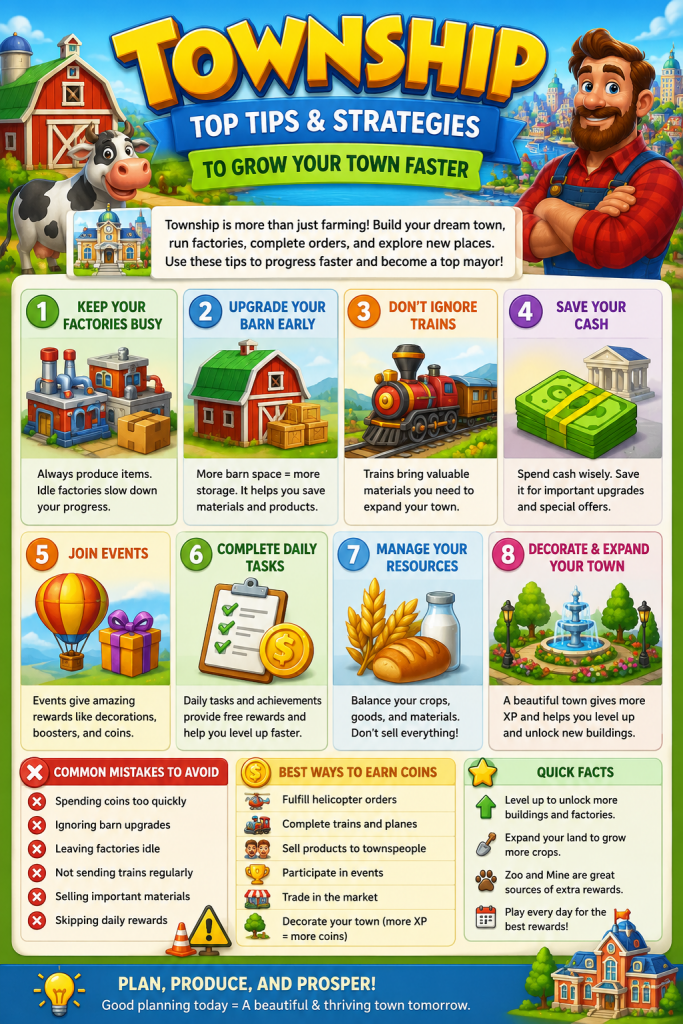
Tip #1: Keep Your Factories Busy
Factories are the heart of Township.
Whenever possible, try to keep them producing something.
Even if you don’t immediately need a product, having extra inventory often saves time when train or helicopter orders appear.
Idle factories usually mean slower progress.
Tip #2: Upgrade Your Barn Carefully
If there’s one thing every Township player eventually experiences, it’s running out of barn space.
At first, I ignored storage upgrades.
That turned into constant inventory problems.
A larger barn allows you to keep more materials, crops, and manufactured products ready for future orders.
Managing storage efficiently makes the entire game much smoother.
Tip #3: Don’t Ignore Trains
I originally focused almost entirely on helicopter orders because they were quick to complete.
Later I realized trains provide valuable construction materials needed for town expansion.
Sending trains regularly became one of my daily priorities.
The rewards add up over time.
Tip #4: Save Premium Currency
Like many mobile games, Township includes premium cash that can speed up progress.
It’s tempting to spend it immediately.
I made that mistake early on.
Now I prefer saving premium currency for situations where it provides the greatest value, such as permanent upgrades or special opportunities.
Patience almost always pays off.
Tip #5: Participate in Events
Township regularly introduces themed events that offer unique rewards.
These often include decorations, boosters, coins, and other useful resources.
Even if you don’t finish every event, participating can significantly improve your long-term progress.
I rarely skip them anymore because they’re one of the easiest ways to earn extra rewards.
Common Beginner Mistakes
During my first few weeks, I made several mistakes that slowed my progress.
Here are the biggest ones:
- Building everything immediately
- Spending premium cash too quickly
- Ignoring storage upgrades
- Leaving factories idle
- Forgetting to send trains regularly
- Selling useful materials too early
- Skipping daily rewards
Avoiding these mistakes makes progression much more enjoyable.
Is Township Pay-to-Win?
Many new players wonder whether spending money is necessary.
From my experience, the answer is no.
Buying premium currency can certainly speed things up, but careful planning allows free-to-play players to build impressive towns over time.
Consistency matters much more than spending.
Logging in daily, producing efficiently, and participating in events provide steady progress without requiring purchases.
Final Thoughts
Township surprised me in the best way.
What looked like a simple farming game gradually became a rewarding city-building experience filled with strategy, planning, and long-term progression.
The biggest lesson I learned wasn’t how to earn more coins.
It was how to use my resources more wisely.
Once I started planning ahead, keeping factories busy, upgrading storage, and participating in events regularly, my town grew much faster than before.
If you’re just getting started, don’t worry about having the biggest or most beautiful town immediately.
Build steadily.
Manage your resources carefully.
Enjoy the journey.
Over time, you’ll create a town that’s uniquely your own—and that’s one of the most rewarding parts of Township.
Frequently Asked Questions (FAQ)
Is Township free to play?
Yes. Township is free to download and play on both Android and iOS devices. The game includes optional in-app purchases that can help speed up progress, but you can enjoy the full experience without spending real money.
Can you play Township offline?
You can perform some activities offline, but an internet connection is recommended for events, cloud saving, social features, and receiving the latest updates.
What’s the fastest way to earn coins in Township?
The best ways to earn coins include:
- Completing helicopter orders
- Sending trains and airplanes regularly
- Selling extra products
- Finishing daily tasks and achievements
- Participating in special events
Managing your factories efficiently also helps generate more products to sell.
How do I level up faster?
To gain experience (XP) quickly:
- Complete orders consistently
- Harvest crops regularly
- Manufacture products in factories
- Finish community events
- Construct new buildings
- Complete achievements and daily goals
Playing a little every day is often more effective than long sessions once a week.
What should I spend Township Cash on?
It’s usually best to save Township Cash for permanent upgrades, extra factory queues, or special offers that provide long-term value. Avoid spending it to skip short production timers unless absolutely necessary.
Why is my barn always full?
Running out of barn space is common for new players. Upgrade your barn whenever possible and avoid storing unnecessary items. Selling excess products you don’t currently need can also free up valuable storage space.
Are trains important in Township?
Absolutely. Trains deliver construction materials that are essential for expanding your town and upgrading buildings. Sending trains regularly should be part of your daily routine.
Is Township suitable for children?
Yes. Township features colorful graphics, simple controls, and family-friendly gameplay. However, parents should be aware that the game contains optional in-app purchases.
Does Township have multiplayer features?
Yes. Players can join co-ops, participate in regattas, help friends, exchange goods, and compete in seasonal events, making the game more enjoyable as your town grows.
Is Township worth playing in 2026?
In my opinion, yes. Township remains one of the most polished farming and city-building games available on mobile. Its combination of farming, factory management, town expansion, seasonal events, and long-term progression keeps the gameplay engaging for both new and returning players.
🎮 Play More Games
Want to discover more fun mobile and browser games?
👉 Visit: https://mohanadpc.com/games
New games are added regularly. 🚀
Leave a Reply